Curious how it works? Follow the in-app steps, then see how Harper confirms delivery, ingests PDFs, and keeps everything organized.
Step 1
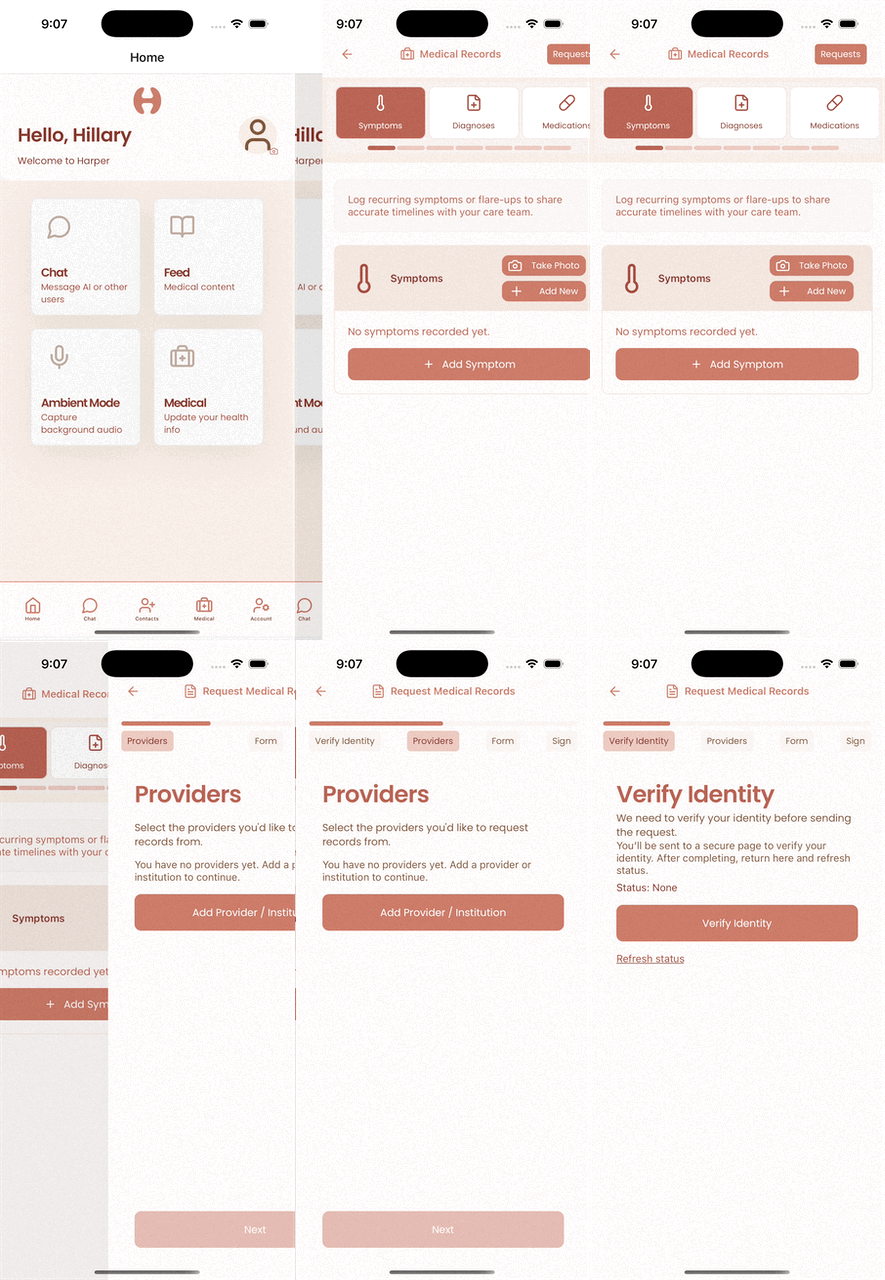
Requests start in the app. Download Harper to verify your identity and submit your medical records request.

In the app
Each step is guided inside the app, from identity verification to signing the authorization.
Behind the scenes
Once you submit, Harper handles delivery, verification, and parsing so your records arrive cleanly in the app.
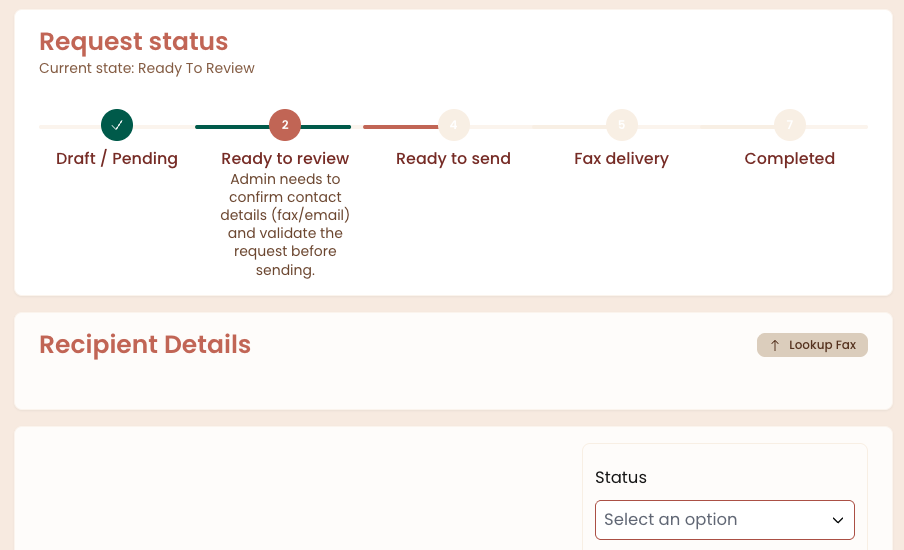
Providers generally have up to 30 days to respond. If the process stalls, ask for a status update and confirm they can deliver the records electronically. Reasonable, cost-based fees may apply, but many electronic requests are low cost or free.
If you need help coordinating requests across multiple providers, Harper can handle the paperwork and follow-up on your behalf.
Request records with Harper